For WP Email Manager to integrate with Control Web Panel, the following conditions must be met:
- You have root access to the server.
- The account that will manage the email accounts must have reseller capabilities.
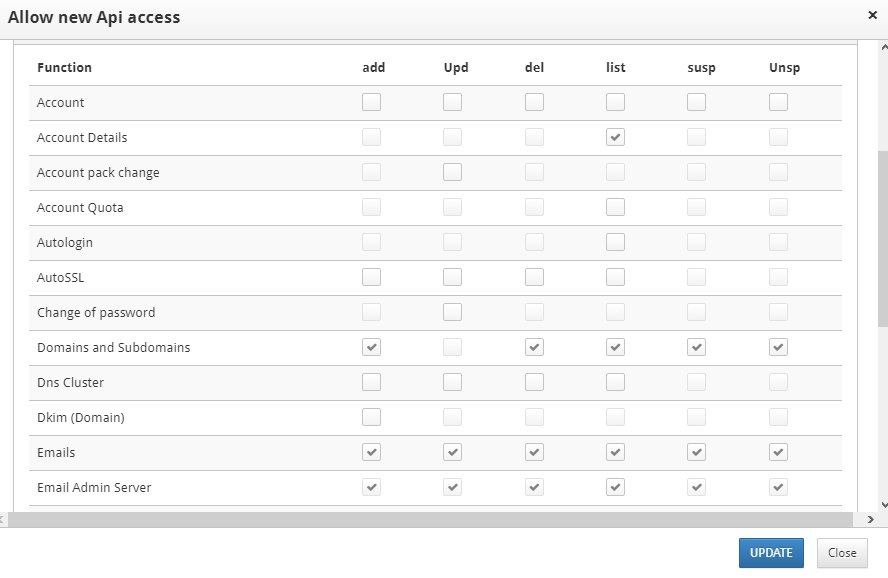
- You have an api key for the root user, not for the reseller account managing email accounts. Learn how to generate an api key here. The api key generated from CWP panel should have following capabilities:
- Listing account details.
- Adding, Updating, Deleting, Listing, Suspending and Unsuspending email accounts.
- Adding, Updating, Deleting, Listing, Suspending and Unsuspending email admin server.
- Adding, Listing and Deleting domains and subdomains.
- The format request is set to json.
- The mailbox table in postfix database has been modified such that the default values for the phone and email_other columns are set to null or any other value.
- As you configure the plugin’s general settings, enter the account which will manage the email accounts (reseller account), not the root user.
Submit a support ticket if you need assistance setting up your Control Web Panel.